WP Workbenchby Virtualmin
New in 2.2Run scheduled tasks without site visits, even behind NAT

For hosting providers, agencies, and resellers. Built into Virtualmin Pro.

More WordPress.
Less busywork.

Update, back up, clone, and protect every WordPress site across your servers. No connector plugin is needed inside WordPress.

Included with Virtualmin Pro From $7.50/month for 10 domains

Every site. Every server. One place to get things done.
Product views recreated with demo data.
Expand screenshot
  • Hosting providers.Every customer’s WordPress, managed from the panel you already run.
  • Agencies.Client sites across servers, in one view.
  • Resellers and site owners.Delegate safely with per-account permissions.

01 Look inside

A whole portfolio, one to-do list.

From every site you host down to a single setting. Select what needs attention and get it done in bulk, or open one site and fix the detail.

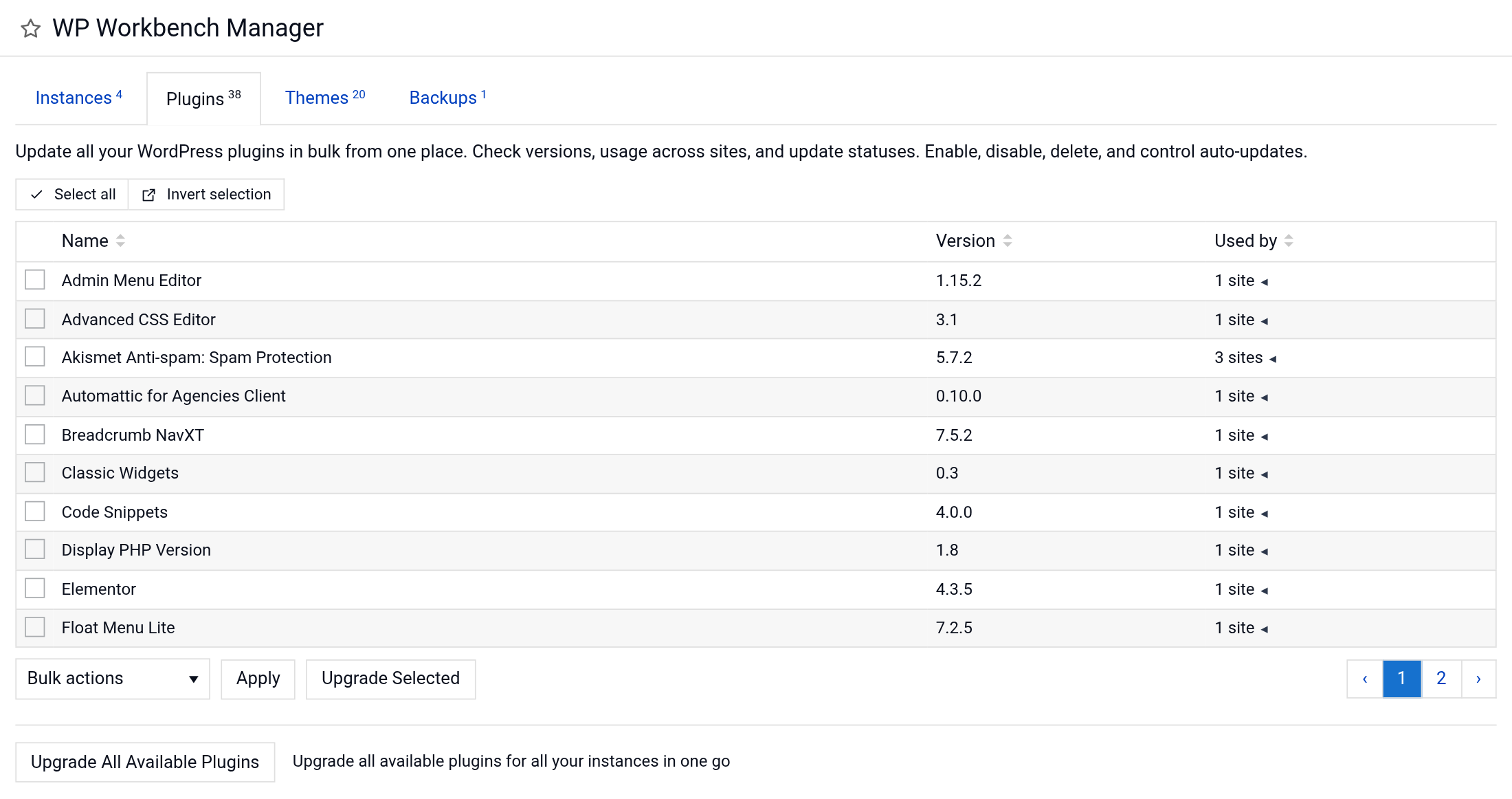
Every plugin from every site, in one table.

See which sites use each plugin and whether an update is available. Update, activate, or remove plugins across your selection, or upgrade everything that is waiting.

01 / 06

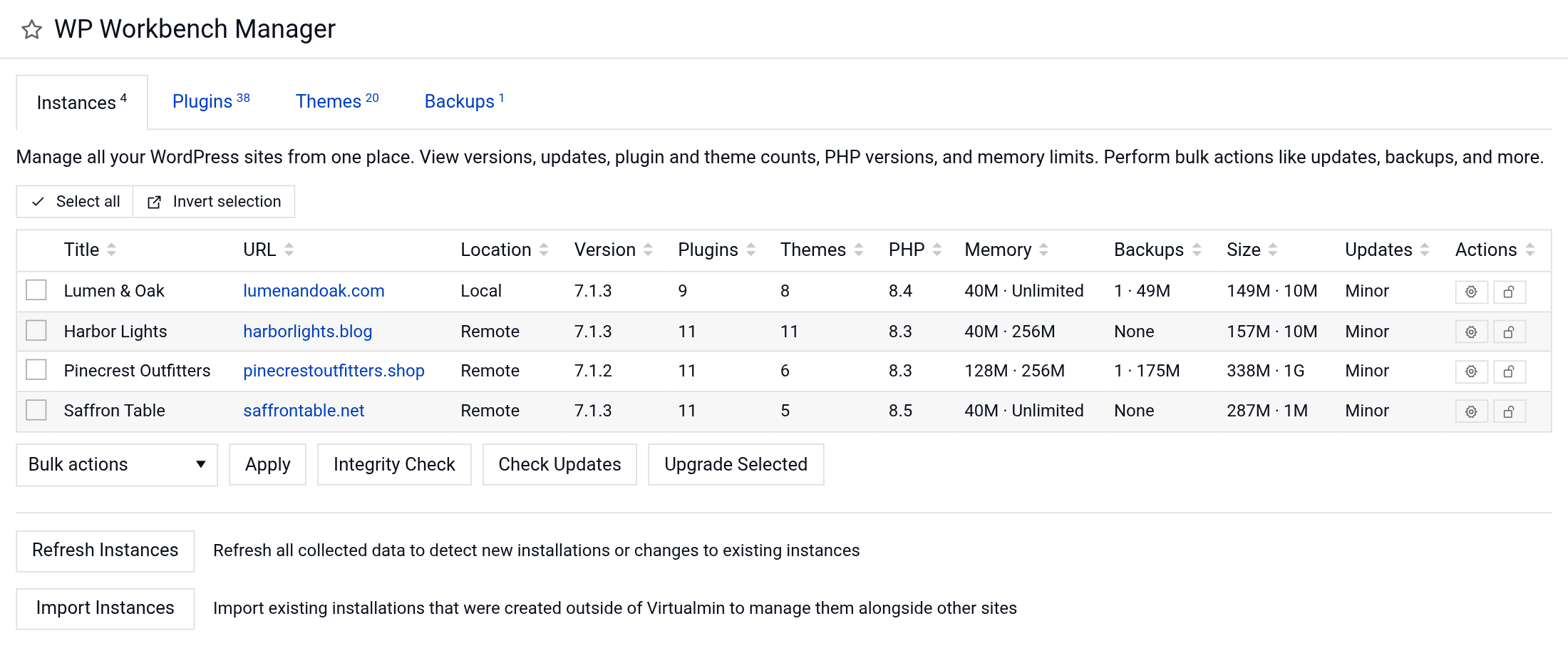
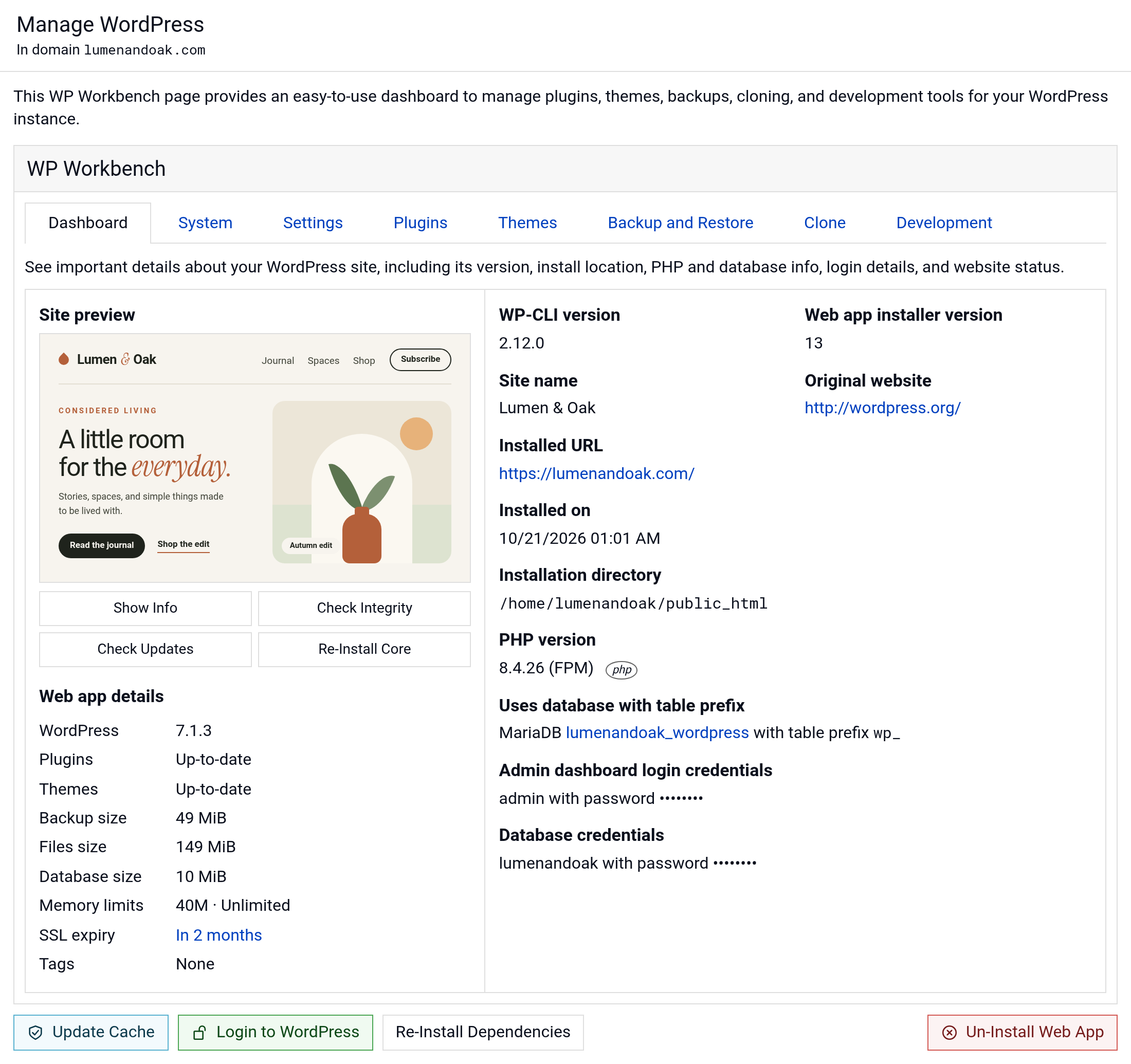
See the whole site, without the detective work.

Versions, updates, backups, PHP, memory, and SSL expiry in one view. Open wp-admin or check file integrity from the same place.

02 / 06

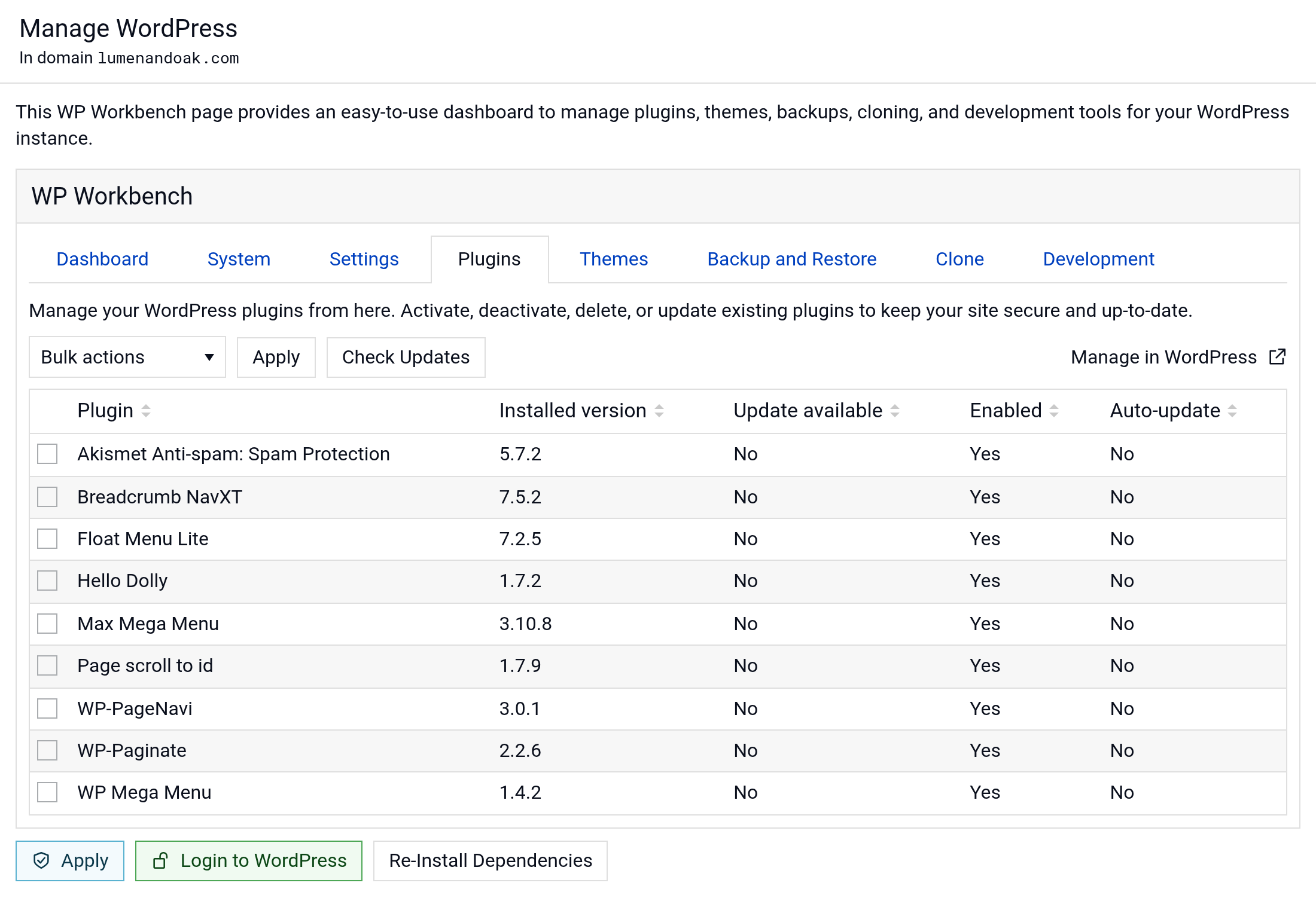
Keep the useful plugins. Fix the troublesome ones.

Activate, deactivate, update, or delete plugins in bulk. Manage auto-updates without opening each WordPress dashboard.

03 / 06

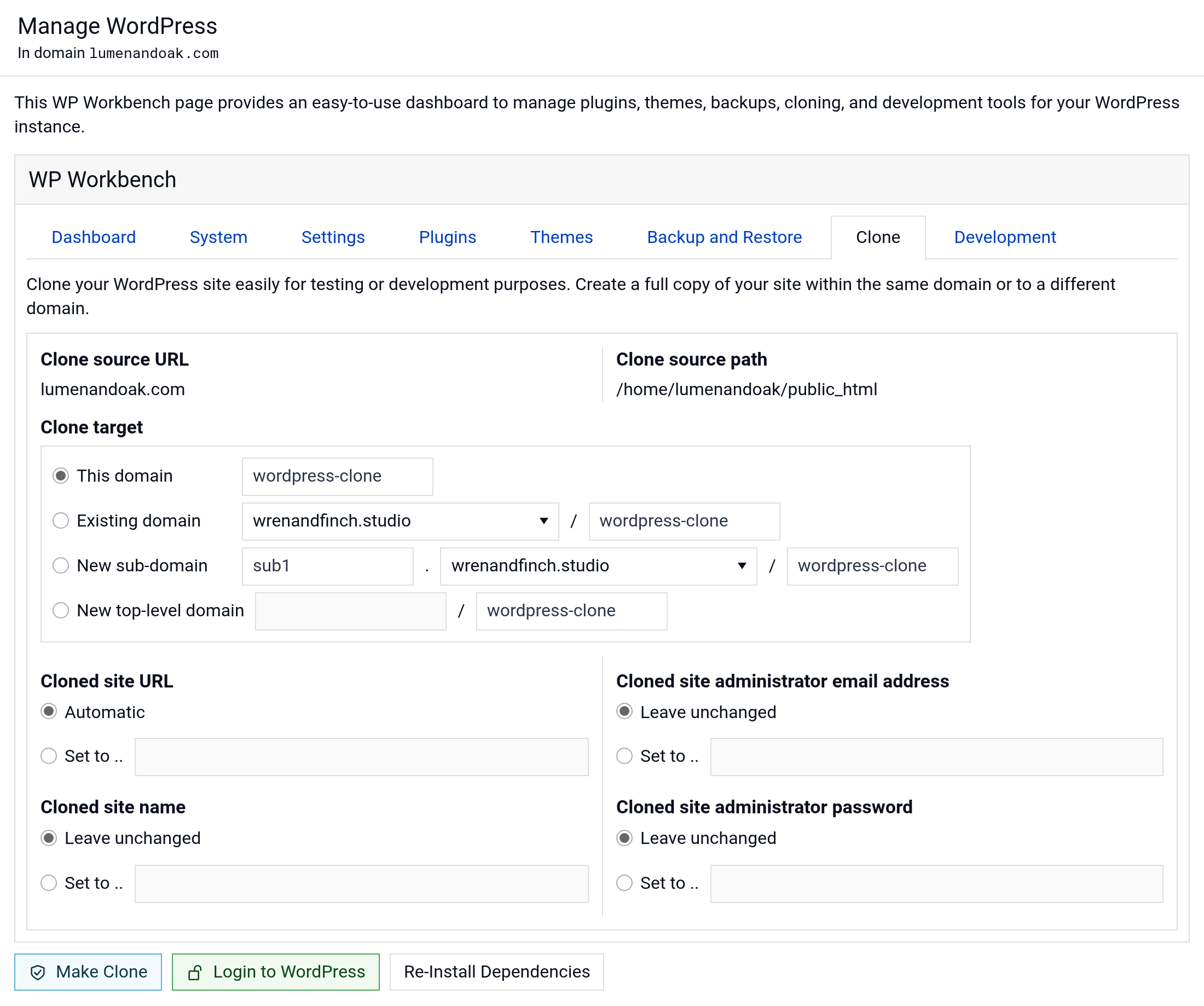
Try the change before it reaches your live site.

Clone to a directory, sub-domain, or another domain. The clone gets its own database, with site URLs updated for the new location.

04 / 06

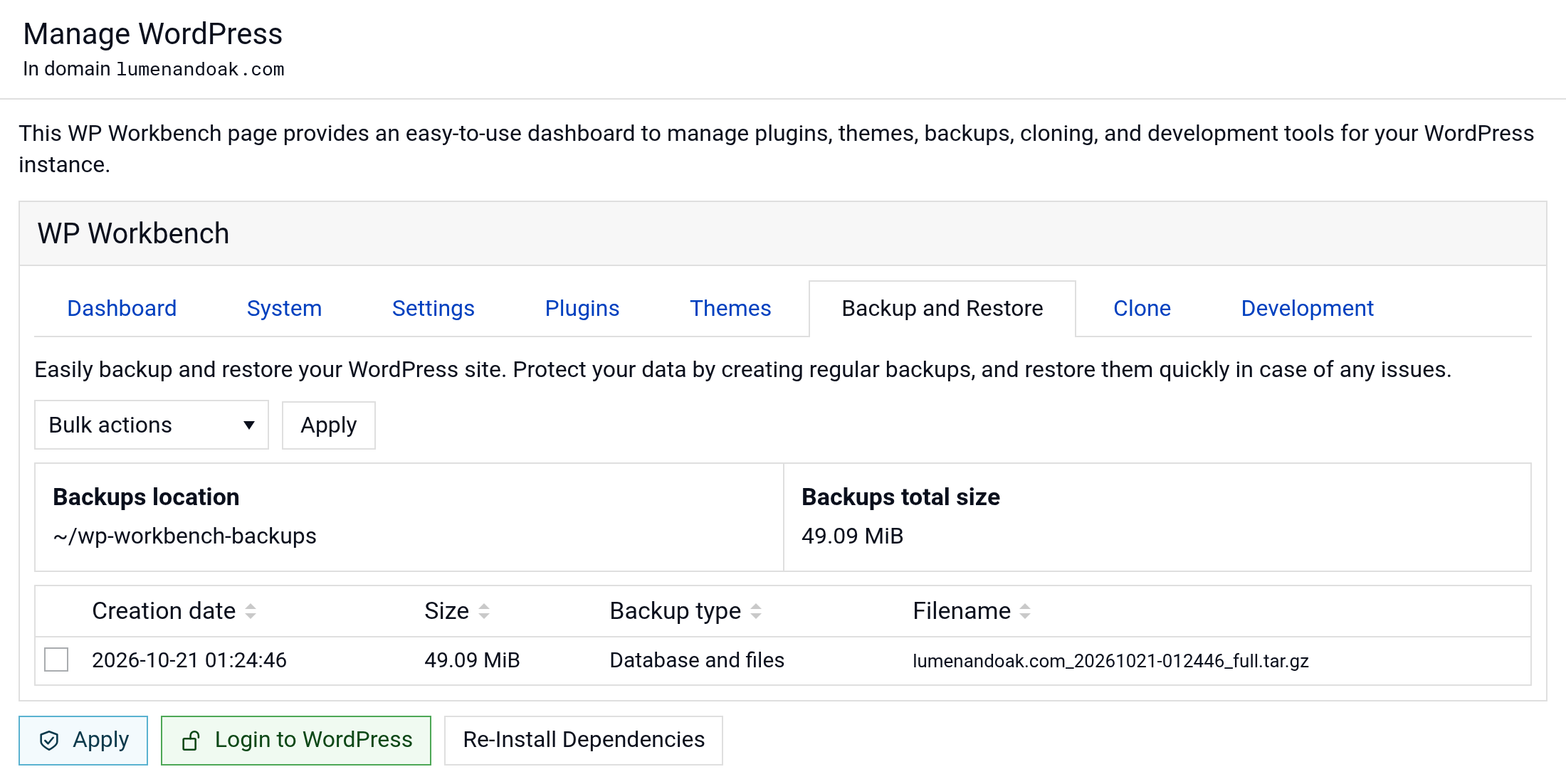
A way back, when you need it.

Back up files, the database, or both before making a change. Restore an archive directly from the site’s backup list.

05 / 06

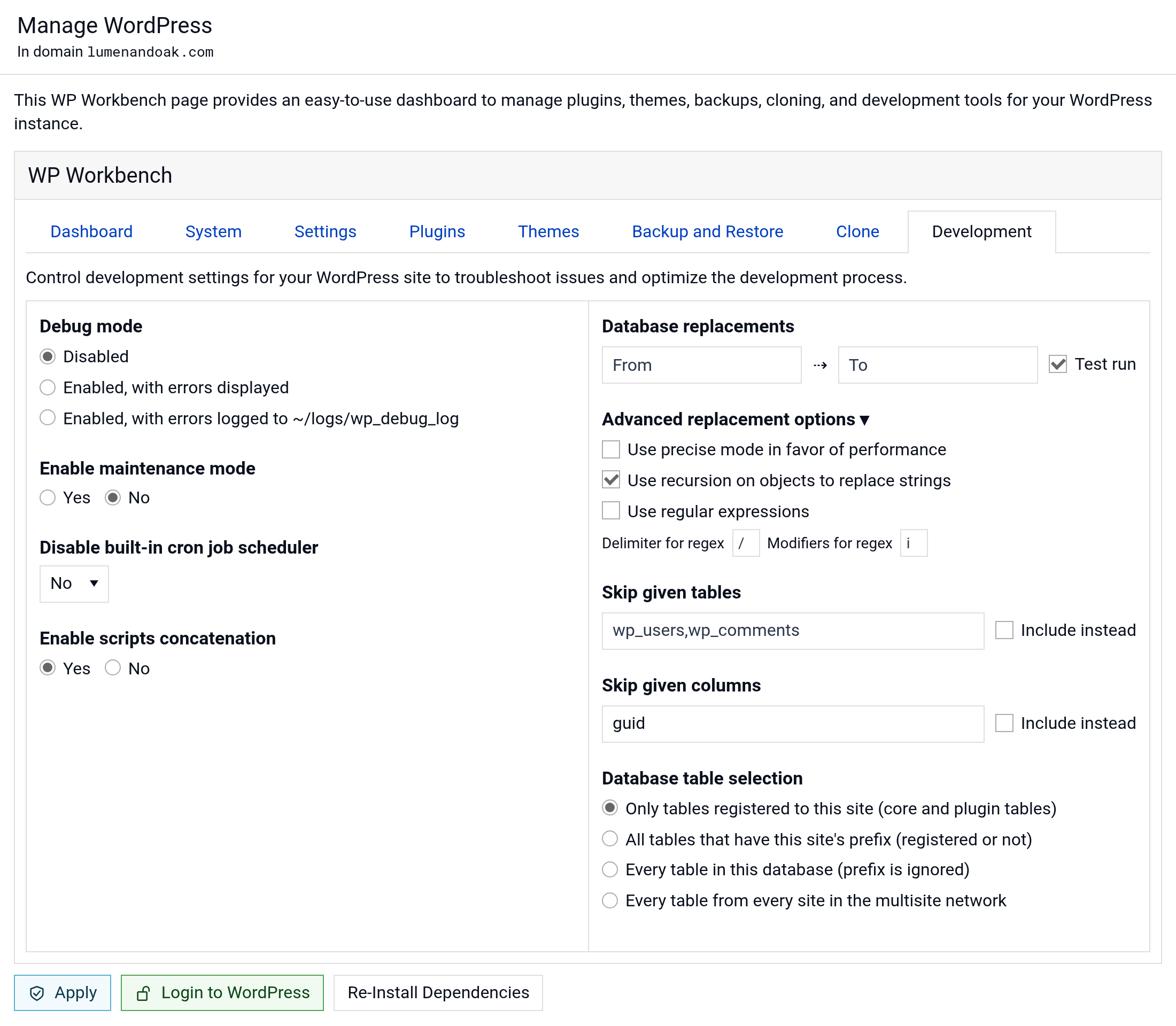
Get to the cause. Get back to work.

Debug and maintenance modes, a managed task scheduler, and database search and replace with a test run before you apply it.

06 / 06
  • Update once, across your sites.

    Manage core, plugins, and themes together.

  • Know what runs where.

    See versions, PHP, backups, and plugin usage at a glance.

  • Go straight to wp-admin.

    One-click access from the panel.

02 Why not a hosted manager?

Hosted dashboards sit between you and your sites.

WP Workbench runs inside Virtualmin Pro on the servers you manage. It works through WP-CLI and comes with your Pro plan.

TopicHosted WordPress managersWP Workbench
Connecting a siteTypically uses a connector plugin in each WordPress site.Nothing to install in WordPress. It works through WP-CLI on the server.
Where management runsA provider hosts the dashboard and processes site information. Backup storage varies by service.Runs on your Virtualmin servers, with backups sent to storage you choose. Site previews use an external service unless turned off.
What it costsFree tiers and paid plans vary; premium features may be charged per site.Included with Virtualmin Pro. No extra Workbench fees; Pro’s server licenses and domain limits apply.
Adding a serverSites connect to the hosted dashboard, with bulk setup options varying by service.Add the server to your Webmin Servers Index, then refresh the instance list. Its sites appear in the same view.

03 A plan for the unexpected

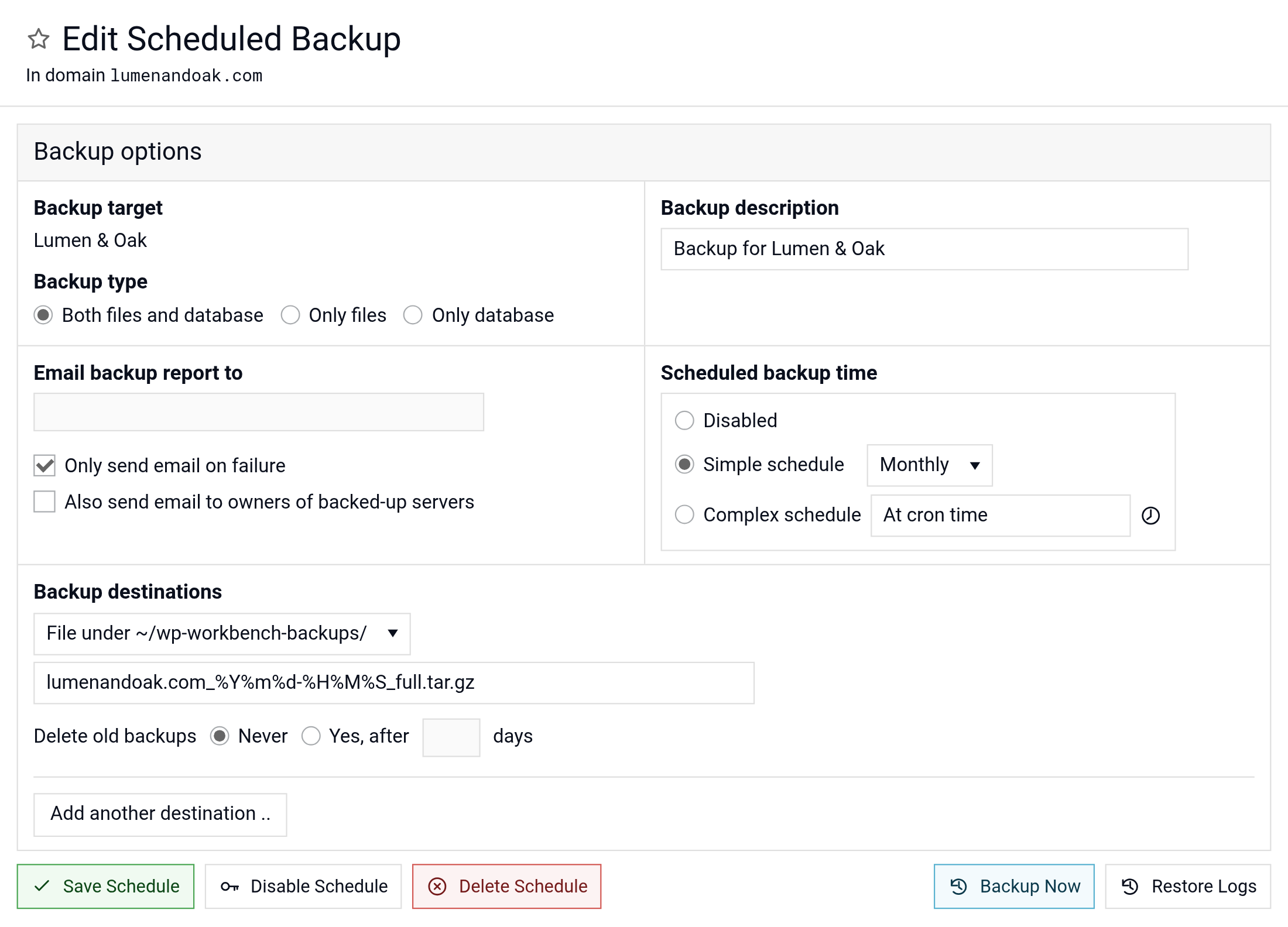
Backups on your schedule, to your storage.

Set the schedule. Choose the destination. Keep a way back for every site, without another daily task.

  • Back up files, databases, or both to multiple destinations.
  • Delete old archives automatically after a set number of days.
  • Get an email after every run, or only when one fails.
Set it up once. Let the schedule do the work. Expand screenshot
  • S3-compatible
  • Backblaze B2
  • Google Drive
  • Dropbox
  • Azure Blob Storage
  • SFTP
  • Local disk
More storage options

04 Built for the way you work

Protection and automation at the server level.

A clear interface for everyday work, with server-level protection and a command line for scripting.

Protection starts
before the WordPress login.

Use Fail2Ban to block repeated failed logins at the server and put an extra password in front of wp-admin. Apply protection to one site or a whole selection.

  • Brute-force login protection
  • Core and plugin integrity checks
  • Automatic update controls
Your terminal. Your workflow.CLI + API

Click it. Or script it.

Bring site management into your own scripts with the Virtualmin CLI and remote HTTP API.

# Update WordPress across every site
$ virtualmin configure-all-scripts \
    --app wordpress --all-domains \
    --action upgrade-core

# Make a staging copy
$ virtualmin configure-script \
    --app wordpress --domain lumenandoak.com \
    --apply 'clone sub --sub_name=staging \
        --sub=lumenandoak.com'
Read the command reference

New in 2.2

Run scheduled tasks without site visits, even behind NAT.

Enable the managed scheduler to run due tasks through WP-CLI every five minutes by default. No site visits or HTTP requests back to the site are needed.

Search & replace

Change the database, with a test run first.

Rewrite URLs or strings across the tables you choose, with regular expressions if you need them. A test run shows what would change without writing anything.

Multiple servers

Local and remote, side by side.

Bring sites from your Webmin Servers Index into the same view. Each remote server needs Virtualmin Pro with WP Workbench.

Requirements

Runs on
  • Debian
  • Ubuntu
  • AlmaLinux
  • Rocky Linux
  • RHEL
Needs
  • Virtualmin Pro
  • WP-CLI, installed for you if missing
Manages
  • WordPress
  • ClassicPress

05 One plan. More possibilities.

Included with every Virtualmin Pro plan.

WordPress management is part of the package. Get WP Workbench and the hosting tools behind it in one subscription.

Everything in Workbench

  • Bulk updates for core, plugins, and themes
  • Scheduled backups to local or cloud storage
  • Staging clones and search and replace
  • Login protection and integrity checks
  • CLI and remote API

Plus the rest of Pro

  • Priority private ticket support
  • 60+ installable web apps
  • Podman container management
  • Reseller accounts and advanced hosting tools

Self-hosted on your Virtualmin servers. Updates arrive through your package manager.

Virtualmin ProWorkbench included

Starting at

$7.50/ month

Billed monthly. For 10 managed domains.

Get Virtualmin Pro

Or $75/year for 10 domains.

Licensed per server. Each server you manage needs its own Virtualmin Pro license.

Room to grow
  • 10
  • 50
  • 100
  • 250
  • Unlimited

domains per plan

Compare all plans
Already have Virtualmin Pro?

WP Workbench is included in your plan. Install the plugin if your server does not have it yet.

Installation guide

A few good questions

Questions before you switch.

More in the documentation
Do I need Virtualmin Pro?

Yes. WP Workbench is included with every Virtualmin Pro plan at no extra charge. It is not part of Virtualmin GPL. Pro starts at $7.50 a month or $75 a year for 10 managed domains.

Do I need a plugin inside WordPress?

No. WP Workbench runs through WP-CLI on your server and can install WP-CLI if it is missing. There is no connector plugin to install or maintain inside each WordPress site.

Can I manage sites across multiple servers?

Yes. Remote support, on by default, brings sites from servers in your Webmin Servers Index into the same view. Each remote server needs Virtualmin Pro with WP Workbench installed and active.

Can I bring in existing WordPress sites?

Yes. Import Instances finds WordPress sites in your Virtualmin domains that were installed by hand or with other tools, and adds them to the manager. ClassicPress is supported too.

Where do my backups go?

Instant backups are stored in wp-workbench-backups in the domain’s home directory. Scheduled backups can use local disk or supported remote storage, including S3-compatible services, Backblaze B2, Google Drive, Dropbox, Azure Blob Storage, and SFTP.

Can my hosting customers use it?

Yes, when the master administrator allows them to manage web apps. Cloning and database backups also need permission to manage databases, and cloning to a new sub-domain needs permission to create sub-servers. Only master administrators and resellers can clone to a new top-level domain.

Will scheduled tasks run on sites behind NAT?

Yes. Enable the managed scheduler, available since version 2.2.0, to run due tasks through WP-CLI every five minutes by default. It does not rely on site visits or HTTP requests back to the site.